Daily receipt sync
Reads new goods receipts from SAP every morning and measures each PO-based line in days. Receipts cancelled later drop out on their own.
SAP Business One has a lead time field, but nothing keeps it true. B1Nexus Lead Time Update measures every purchase order to goods receipt, lets your buyers approve or reject each one, and writes the item's average lead time back to SAP.
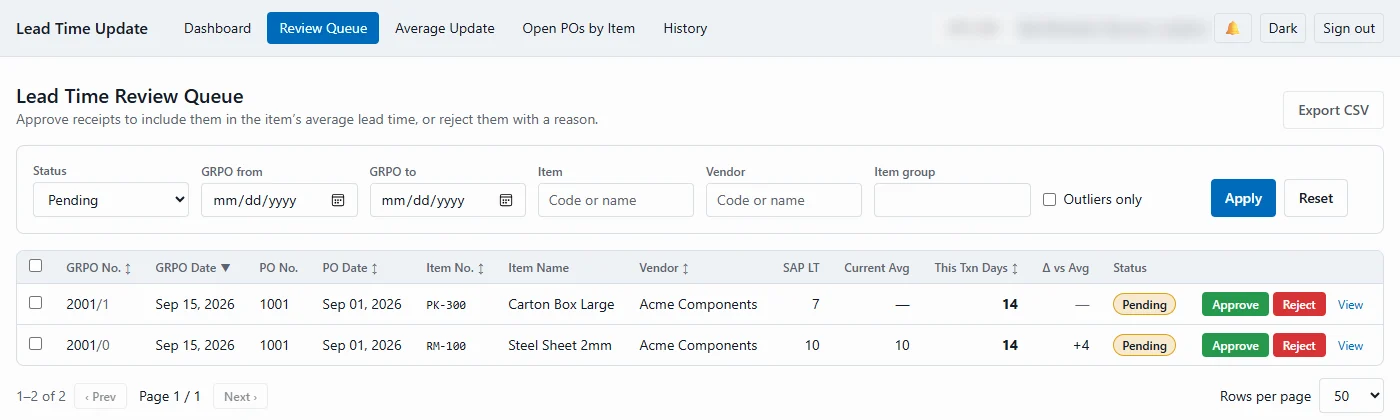
Lead time is the GRPO date minus the purchase order date. Nothing reaches the item master until a person has looked at it.
A goods receipt is copied from a purchase order in SAP.
SAPOvernight, each receipt line gets its lead time in days.
overnightNew receipts wait in the queue, and reviewers get a digest.
daily digestApprove it, or reject it with a reason that is kept.
approve / rejectPreview the new averages, then confirm.
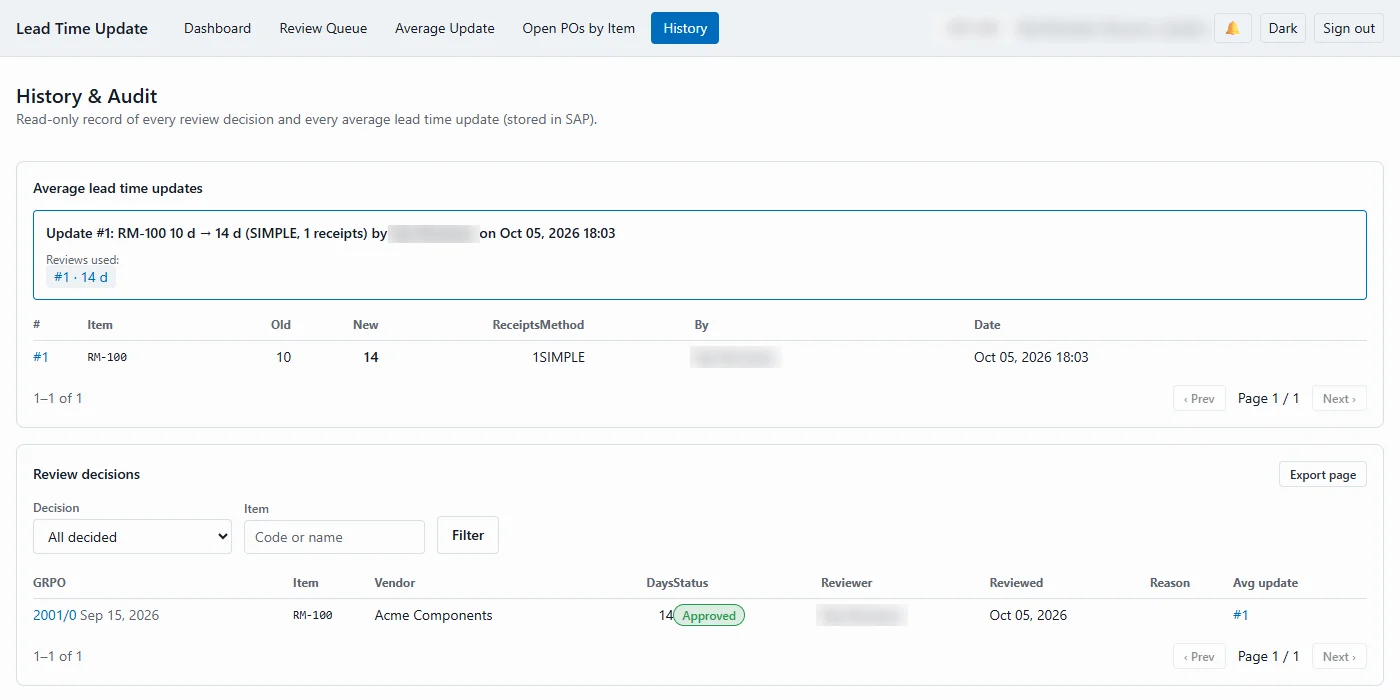
preview → confirmThe average is written to the item, and logged in SAP.
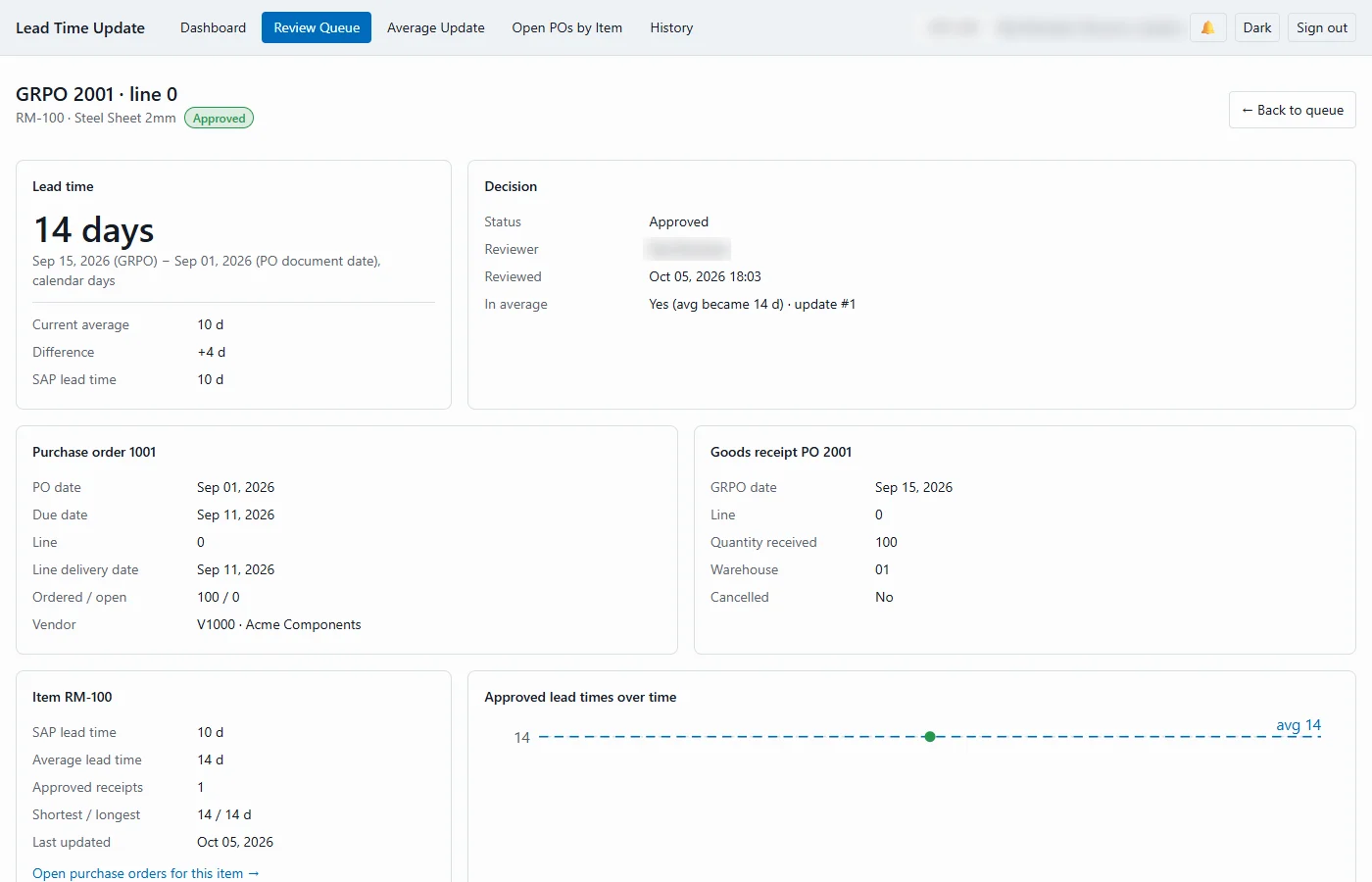
history in SAPThe purchase order and goods receipt side by side, how the days were counted, the item's current average and SAP lead time, and a chart of every approved lead time for the item.
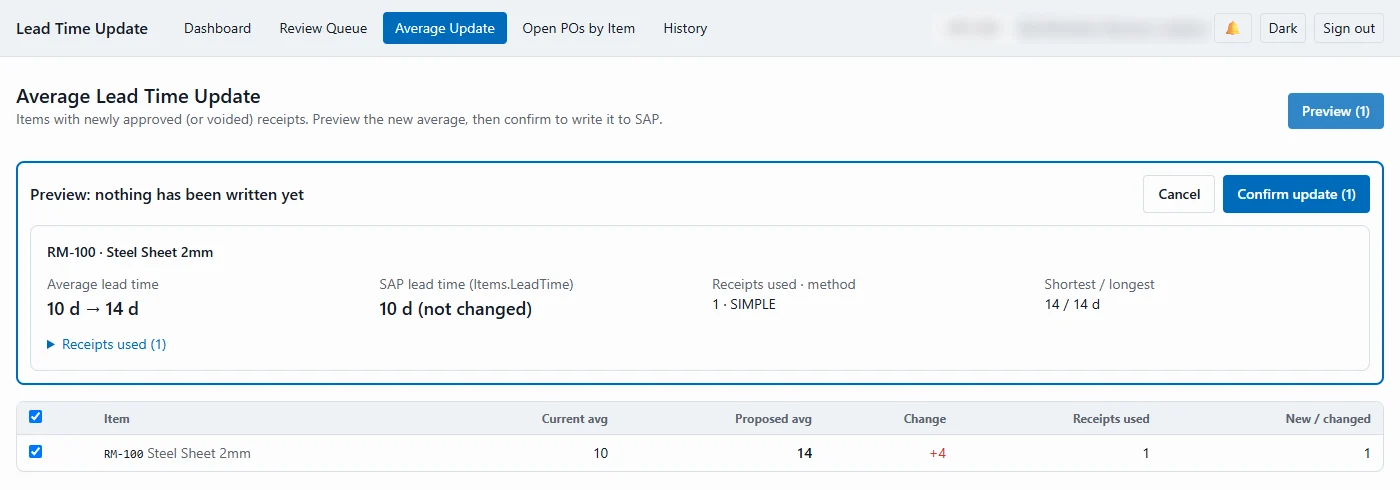
Pick the items with newly approved receipts, compare the current and proposed averages and the receipts used, then confirm. Each item is updated in SAP all-or-nothing.
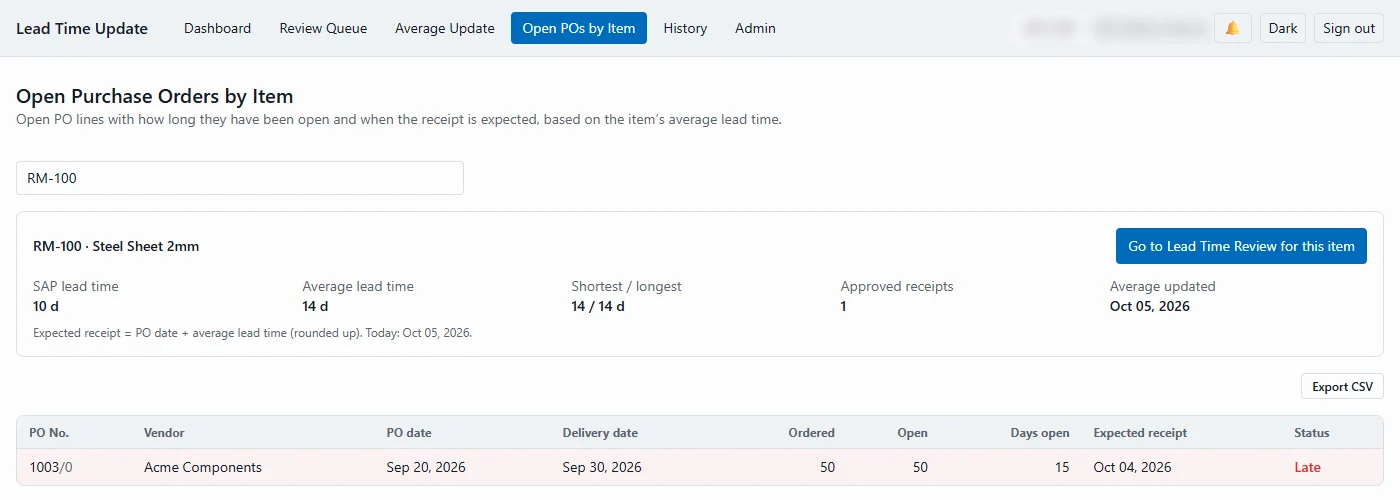
Open purchase order lines with how long they have been open and the expected receipt date from the item's average lead time. Late lines stand out.
Average lead time, number of receipts, shortest, longest and date of the last update, in their own item fields.
Optionally write the rounded average to the standard Lead Time field that MRP uses. Off until you switch it on.
Every review decision and every update run is stored in SAP, with the exact receipts each average used.
Reads and writes go through the SAP Business One Service Layer. A one-time setup adds the fields and tables it needs, and never changes existing ones.
A read-only record of every average lead time update (old and new value, method, receipts used, by whom and when) and every review decision with its reason.
Reads new goods receipts from SAP every morning and measures each PO-based line in days. Receipts cancelled later drop out on their own.
Negative times, receipts over a year and lines far outside the item's range are flagged, so a person decides.
Filter by date, item, vendor or item group, sort, approve or reject in bulk, and export to CSV.
Rejections need a reason, with codes such as Expedited, Vendor error or Data entry error. Admins can reopen a decision.
Simple or quantity-weighted, over all receipts or the last N receipts or days, in calendar or business days with your holidays.
An e-mail and an in-app notification list new receipts to review. Reviewers can be scoped to item groups or buyers.
Open purchase orders by item, how long they have been open and when they should arrive, with late lines flagged.
Viewer, Reviewer, Updater and Admin roles, and a read-only history of every decision and update, stored in SAP.
No. Receipts only count once a reviewer approves them, and an average is only written after someone with the Updater role previews the new values and confirms. Each item is written all-or-nothing.
Only if you switch that on. By default the average goes into its own fields on the item (average, number of receipts, shortest, longest and last update), and the standard Lead Time field is left alone.
Negative times, receipts over a year and, if you set a tolerance, receipts far outside the item's range are flagged as outliers. A reviewer decides: approve, or reject with a reason that stays on record.
A daily digest e-mail and an in-app notification list the new receipts to review. Reviewers can be limited to their own item groups or buyers.
Book a walkthrough of the review queue and the average update, or tell us how your buyers keep lead times up to date today.
B1Nexus WMS runs receiving, picking, packing and counting on rugged scanners and phones, and posts every step to SAP Business One exactly once.