Their prices
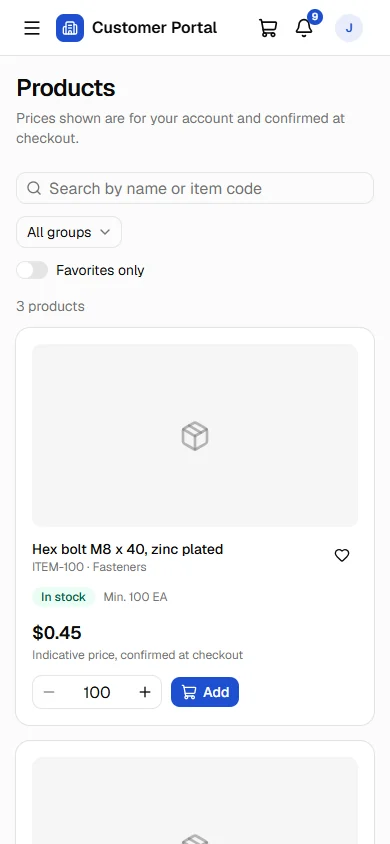
A searchable catalog with images, item groups, favourites and stock status, shown with each customer's own price list.
A secure B2B portal for SAP Business One. Your business customers see their own prices, place orders, and follow deliveries, invoices, payments and statements, around the clock and without calling your team.
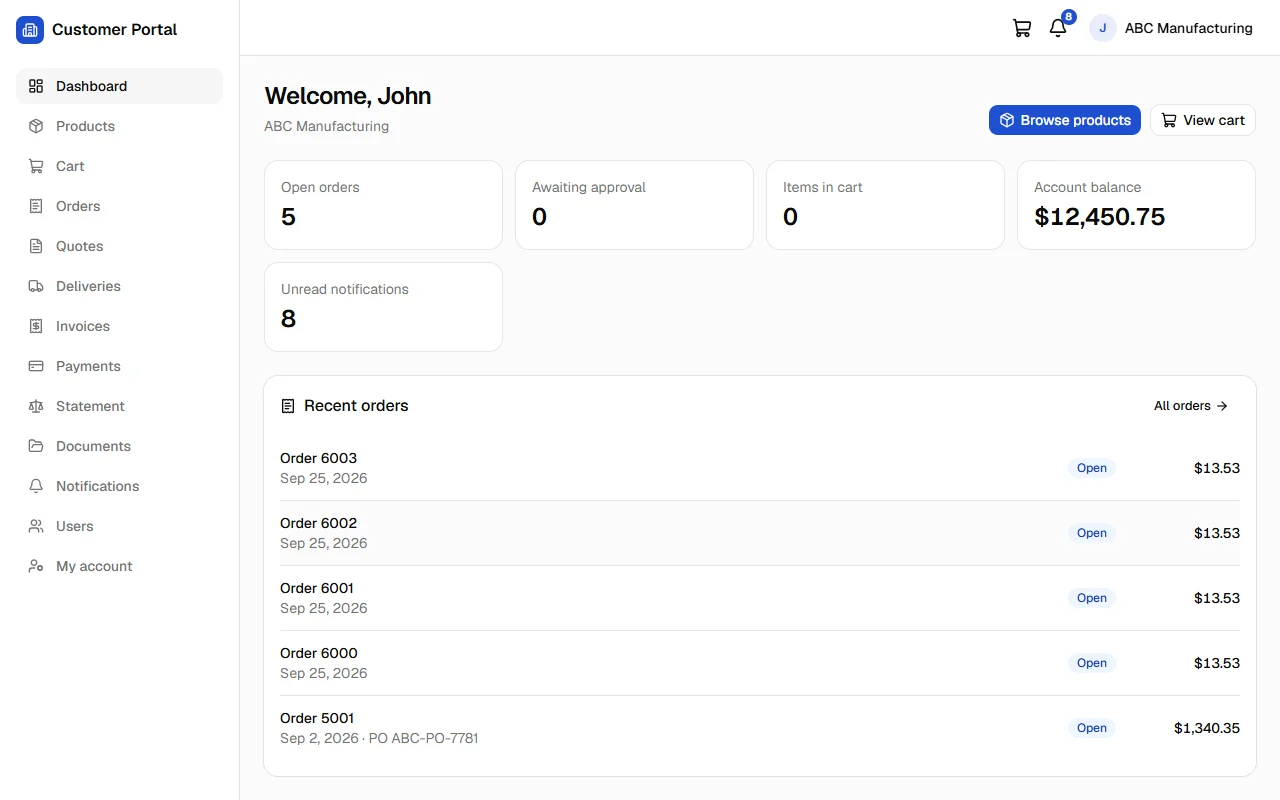
Every customer signs in to their own company account and sees only their own business with you. What each person can do depends on their role.
A searchable catalog with images, item groups, favourites and stock status, shown with each customer's own price list.
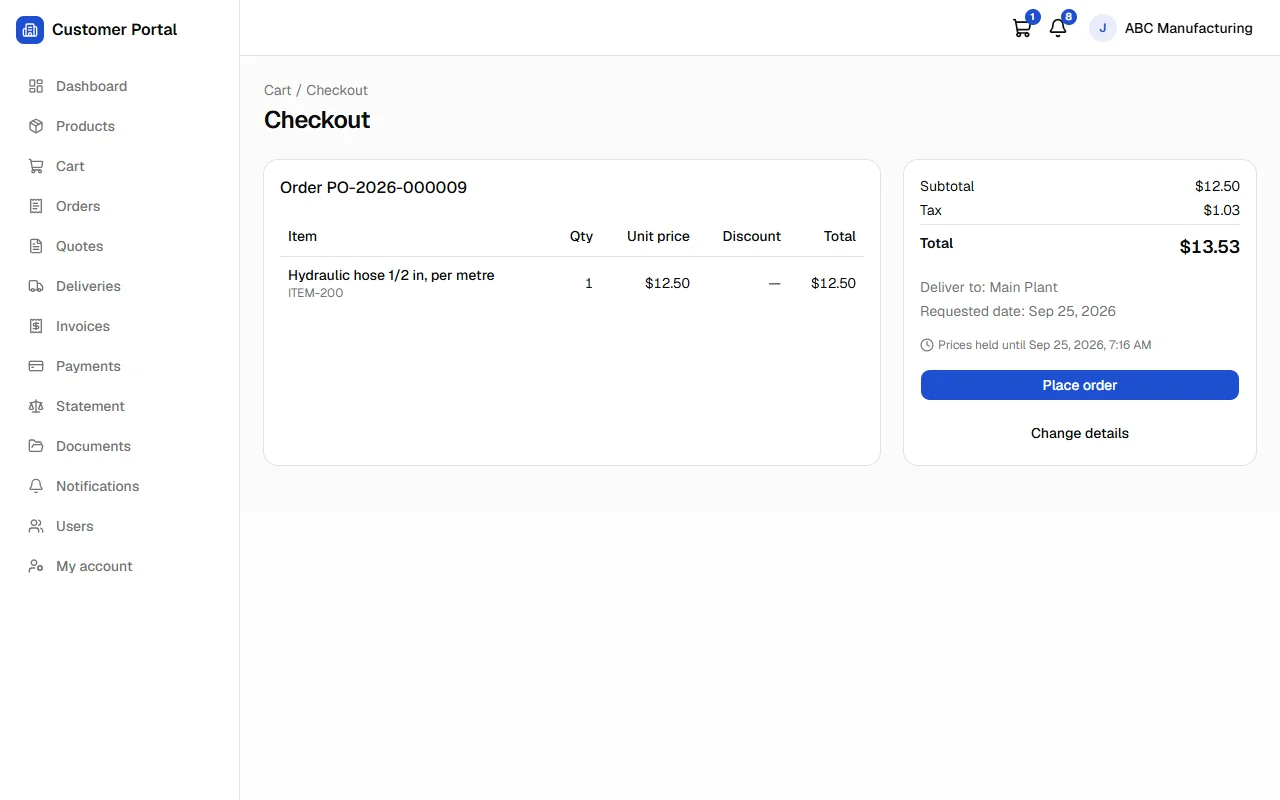
Cart and checkout with delivery address, requested date and PO number. SAP calculates the final prices, discounts and tax before the order is placed.
Customers view your quotations and, if you allow it, turn one into an order linked to the quotation in SAP.
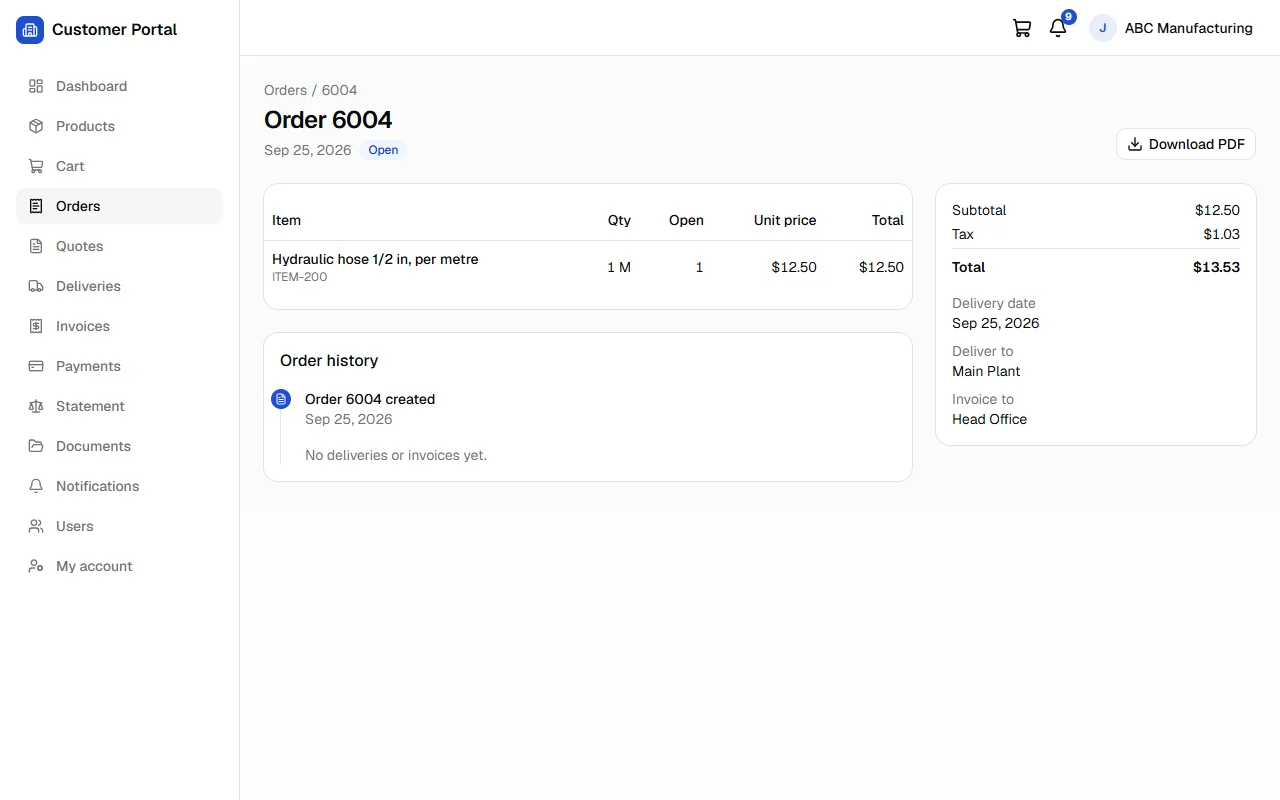
Order status and history from order to delivery to invoice, with tracking numbers and carrier links where configured.
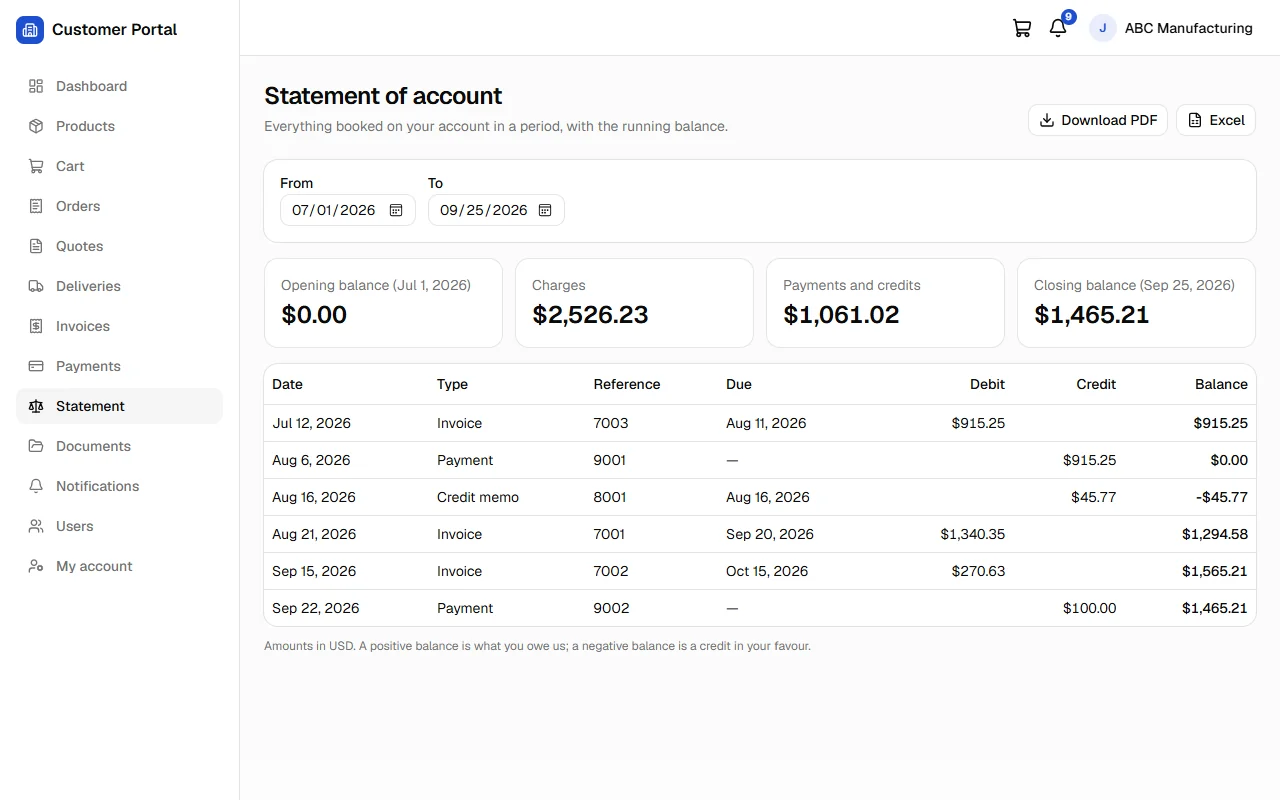
Open and paid invoices, credit memos and incoming payments, with balances and due dates.
Opening balance, documents and closing balance for any period, plus a document center where every document downloads as a branded PDF.
In-app and email updates when an order is confirmed, shipped or invoiced, picked up from SAP automatically.
Many users per customer with roles: administrator, purchasing, accounts and viewer. Customer admins invite and manage colleagues.
At checkout the portal asks SAP Business One to price the order exactly as it would in SAP, with the customer's discounts and tax. The customer sees the real total before placing the order, and the order is sent to SAP once, even if someone double-clicks or the connection drops.
Status, lines, open quantities and totals come straight from SAP, along with the order's deliveries and invoices. Customers download the order as a PDF, and your team gets fewer "where is my order?" calls.
Accounts teams see invoices, credit memos, payments and a statement of account for any date range, and download them as PDF whenever they need them.
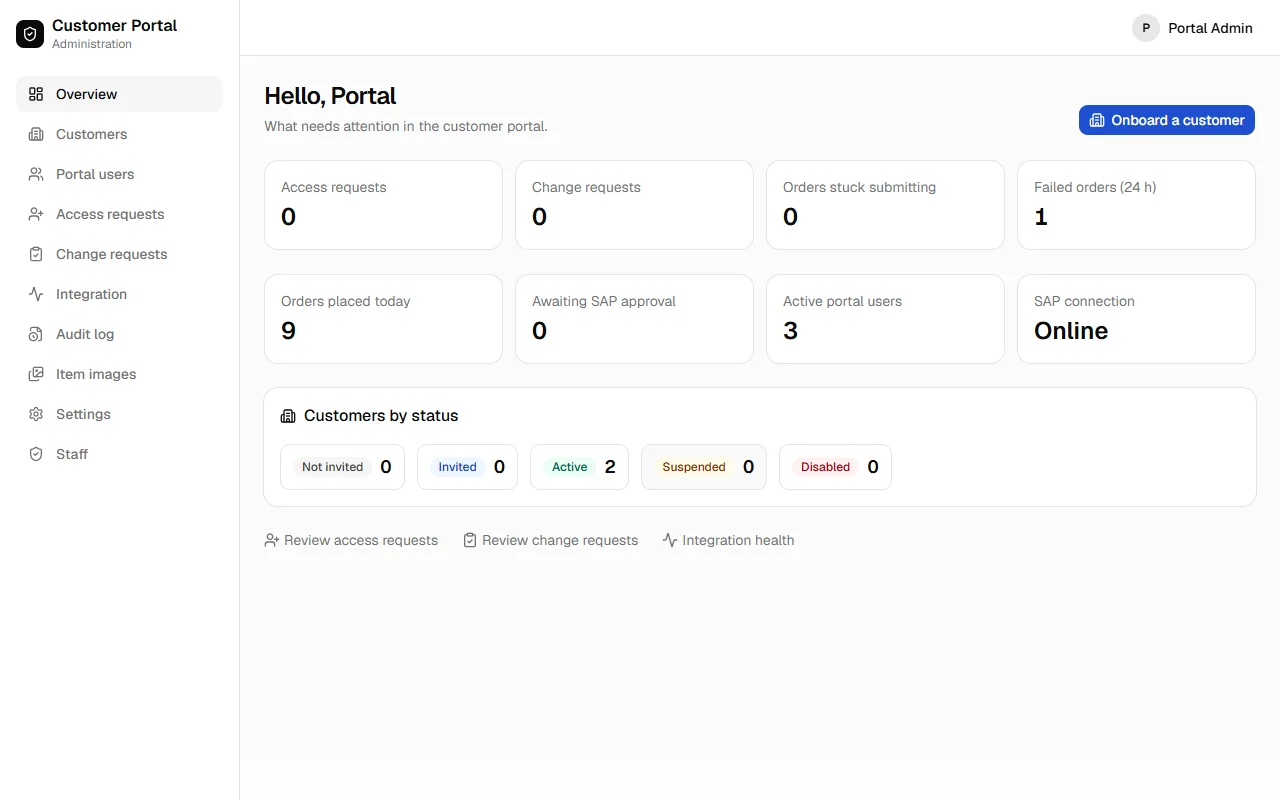
Each customer account maps to exactly one SAP business partner. Customers can never see another customer's prices or documents.
All SAP reads and writes go through the SAP Business One Service Layer. No direct database access, and no copy of your SAP data.
A dedicated installation per company, on a cloud server or on-premise. Customers' browsers never reach your SAP server.
Strong password hashing, secure cookies, rate limiting and lockout, security headers, and an audit log of sign-ins, orders and changes.
No. SAP Business One stays the system of record. The portal reads what it needs through the Service Layer when customers ask for it, keeps only short-lived caches, and stores its own data (users, settings, audit log) in a separate database.
In SAP. The catalog shows each customer's price-list prices, marked as indicative. At checkout the portal has SAP price the order, so discounts, special prices and tax are exactly what SAP would charge.
Yes. If an SAP approval procedure applies to an order, the customer sees it as awaiting approval. Once it's approved, the portal can add the order automatically, or your sales team adds it in SAP; if it's rejected, the customer is notified.
On your own server: a cloud VPS or on-premise, with a dedicated installation for your company. The portal server connects to your Service Layer; your customers only ever connect to the portal.
Yes. Your company name, logo, colour and support contacts appear on the portal, the sign-in pages, emails and PDF documents, on your own web address.
By invitation. Your team picks the SAP business partner, and the customer receives a personal, single-use invitation link. Optionally, new contacts can request access through a form, and your team approves and matches them. Access is never granted automatically.
Book a walkthrough of the Customer Portal, or tell us about your SAP Business One environment and your customers.
The B1Nexus MCP Server lets AI agents query and act on Business One data through the Model Context Protocol.